OBS Action: Change Filter Visibility
The Change Filter Visibility action allows you to change the visibility, or turn on and off, a source filter in OBS.
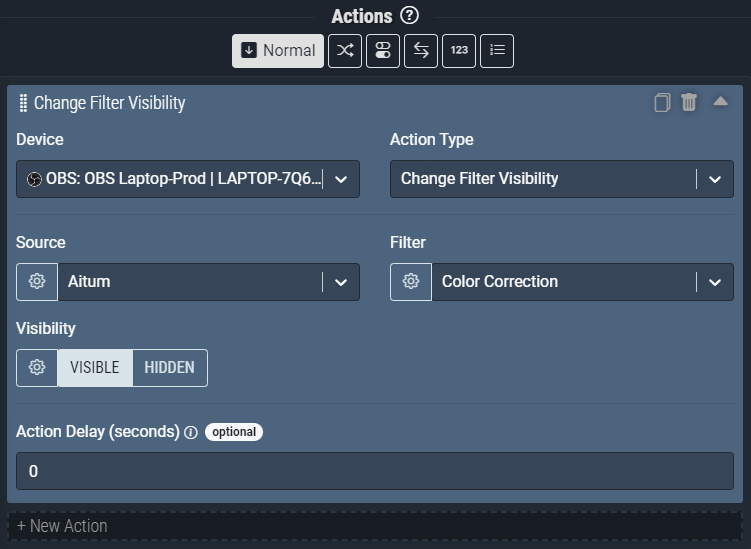
Screenshot: The Change Filter Visibility action pictured will change the Color Correction filter on the Nexus scene to Visible.
Like most action input fields, it’s possible to use a Global or Local variable in the Source, Filter, and Visibility fields instead of defining them manually.
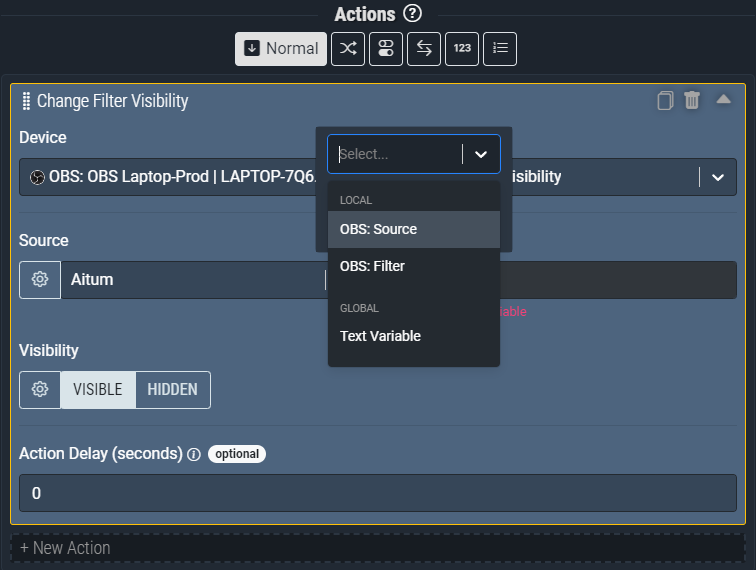
Screenshot: Pictured above is the variable select menu available on most action input fields in Nexus.
Action Inputs
Source
The Source that the specified Filter is present on in OBS.
| Type | Text (Dropdown) |
|---|---|
| Required | Yes |
| Allows Variables | Yes |
| Allows Template Text | No |
Filter
The Filter to turn on or off in OBS.
| Type | Text (Dropdown) |
|---|---|
| Required | Yes |
| Allows Variables | Yes |
| Allows Template Text | No |
Visibility
The state to change the selected filter to.
Visible = True
Hidden = False
| Type | Switch (Boolean) |
|---|---|
| Required | Yes |
| Allows Variables | Yes |
| Allows Template Text | No |